We use cookies to improve your online experience. By continuing browsing this website, we assume you agree our use of cookies.
Home > News & IEM Guides > IEM Guides > USB-C vs 3.5mm IEMs: How to Connect Wired Earphones to Your Phone
Sep.2026 27

USB-C vs 3.5mm IEMs: How to Connect Wired Earphones to Your Phone

Introduction
Keep using your wired IEMs with a phone that has no headphone jack. Check USB-C DAC compatibility, microphone support and cable connections before buying.
Details

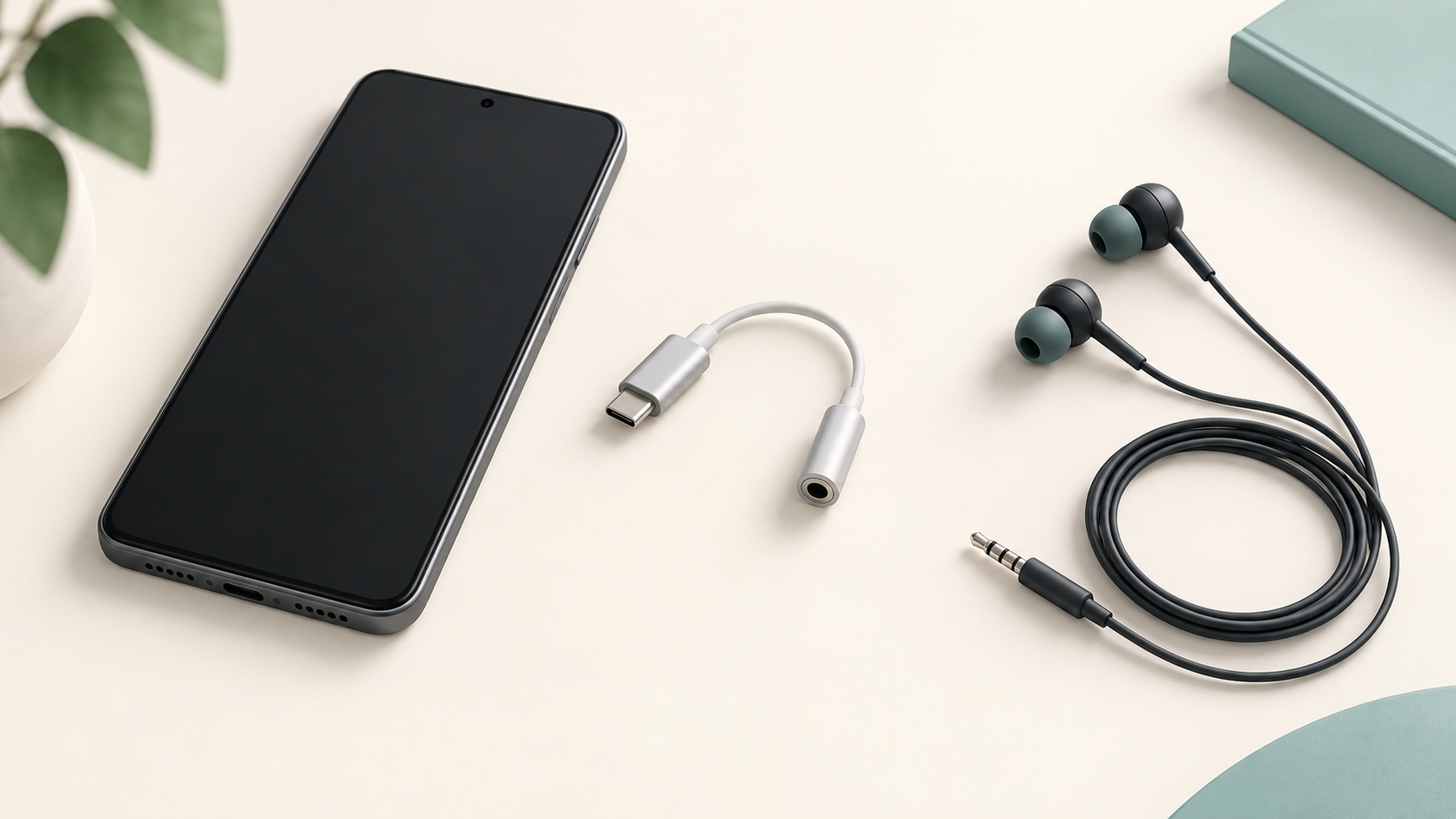
Illustration of a smartphone, USB-C audio adapter and wired earphones

You do not necessarily need new earphones when your phone has no headphone jack. A compatible USB-C DAC adapter can let you keep using a wired 3.5mm IEM. The key is checking the complete connection, including audio playback, microphone support and the earphone cable.

USB-C vs 3.5mm: what changes?

A 3.5mm headphone output provides an analogue audio signal. With a USB-C audio adapter that contains a DAC, digital-to-analogue conversion happens inside the adapter. USB-C describes the connector; it does not by itself guarantee that an adapter works with your phone or supports calls.

Samsung's support guidance specifically advises checking for DAC compatibility when connecting 3.5mm headphones to a Galaxy device. Apply the same buying habit to other phones: check the phone and adapter makers' compatibility information for your exact model.

Choose between an adapter and a USB-C IEM cable

  • Keep your 3.5mm cable and add a DAC adapter: useful if you also listen from a laptop, player or amplifier with a headphone jack. Check that the adapter explicitly supports your device.
  • Use a compatible USB-C IEM cable: can reduce the number of separate pieces, but both ends must match. The phone connection and the IEM's detachable connector are separate compatibility questions.
  • Use the phone's existing 3.5mm jack: if your device has one and it works well for your earphones, an additional adapter may offer little practical benefit.

Before replacing a detachable cable, read our 2-pin, QDC and MMCX cable compatibility guide. Never force a connector because its pin count looks similar.

A five-point checklist before you buy

  1. Phone model and operating system: verify explicit USB audio compatibility. A connector that physically fits is not sufficient evidence.
  2. DAC support: do not assume a passive USB-C-to-3.5mm adapter will work. Look for an integrated DAC and stated device support.
  3. Microphone and controls: if you take calls, check support for your headset's microphone and inline buttons. Audio-only support is not the same as full headset support.
  4. Everyday use: check whether your phone case obstructs the plug. If you need simultaneous charging, verify that feature separately for the phone and adapter.
  5. Earphone requirements: consult the IEM's specifications and the adapter's output information. Price or a “Hi-Res” label alone does not establish a suitable match.

No sound from a USB-C adapter?

Start with the volume low. Remove and firmly reconnect the plugs, select the correct audio output if your device offers a choice, and try another music app. Check whether the phone case prevents full insertion. Then test the IEM on another known-working headphone output and the adapter with another compatible headset. This helps separate an earphone problem from a phone or adapter problem.

If playback works but calls do not, revisit microphone support before replacing the IEM. If an adapter is loose, damaged or repeatedly disconnects, stop relying on it and contact its supplier.

Common questions

Is USB-C always better sounding than 3.5mm?

No. The result depends on the complete source and earphone combination. Choose a reliable connection with adequate output and low audible noise; the plug shape alone does not decide sound quality.

Can I use any USB-C adapter with my phone?

No. Check the exact device and the features you need, especially microphone input, volume controls and charging while listening.

Should I replace the cable or buy a dongle?

A compatible dongle keeps your existing 3.5mm cable usable across more sources. A replacement USB-C cable may be convenient if its earphone connectors and phone compatibility are confirmed.

Browse TINHIFI cables or contact TINHIFI with your phone model and exact IEM model before ordering.

Cover: generated editorial illustration, not a specific product model. Reference: Samsung's USB-C headphone connection guidance.

X